Save it once.
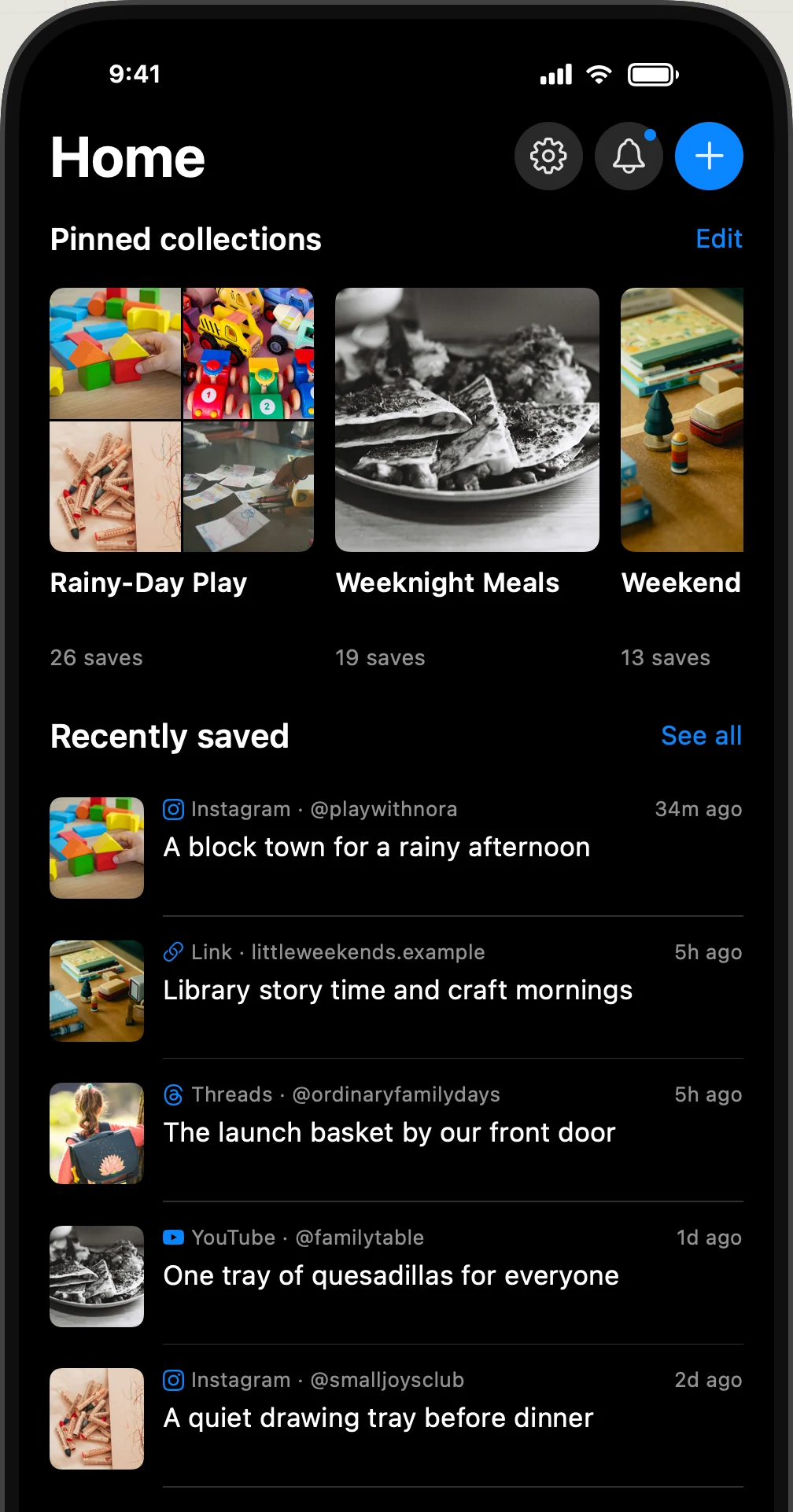
Share from Instagram, Safari, Chrome, Threads, X, YouTube, Substack, Notes, Voice Memos, Reddit, Facebook, LinkedIn and more. Keep videos, posts, links, photos and PDFs in one personal library.
 valin.ai
Valin for iPhone
Save videos, posts, links, photos and PDFs. Valin extracts the key information so you can search it or ask questions on your iPhone.
Explore the app
Play with a small, interactive version of Valin. No download needed.
Share from Instagram, Safari, Chrome, Threads, X, YouTube, Substack, Notes, Voice Memos, Reddit, Facebook, LinkedIn and more. Keep videos, posts, links, photos and PDFs in one personal library.
Valin reads text in video frames, transcribes audio and pulls out useful details. All AI processing happens on your iPhone.
Search by meaning or ask a question. Answers come with sources you can revisit.
Come try the beta
Valin is currently in TestFlight. Open the beta link on your iPhone and follow Apple's installation steps.
The App Store release is being prepared.
Requires iOS 26 or later and an iPhone 15 Pro, iPhone 15 Pro Max, or a newer compatible iPhone.
Open in TestFlightOpens Apple's TestFlight page. Beta availability and device compatibility are shown there.
All AI computation happens on your iPhone. Analyzing videos, transcribing audio and generating answers use extra power, so your battery can drain faster while Valin is processing.
For best performance, keep Valin open in the foreground while it extracts and analyzes new items. iOS can limit background processing. For a large batch, consider plugging in your iPhone.
Gemma 4 (E2B) · about 2.59 GB
Powers summaries, recipe extraction and Ask, and names collections.
Whisper (Small, via WhisperKit) · about 489 MB
Turns spoken audio into text.
EmbeddingGemma (300M) · about 349 MB
Finds related items by meaning.
These are approximate download and installed model-file sizes: about 3.43 GB in total. Allow extra free space for installation, caches and what you save.
These models run locally. You can see their download status and details in Settings > Intelligence. An internet connection is needed for the initial model downloads.
AI processing and your library live on your device. Once the models and saved content are on your iPhone, Ask, Search, Reading and the rest of Valin work offline. Internet access is needed to retrieve new source content, download models or open original websites. No Valin account. No tracking.
More about privacy